Before you start
- Connect Google Analytics 4 first. Without it there is nothing for a conversion definition to count.
- You need a Google account with at least Read permission on the GTM container.
- Allow pop-ups for
app.yournarrative.ai.
Connect
1
Open Connectors
Go to Personalize → Connectors, filter by Bring data in if you
like, and click Connect on the Google Tag Manager card.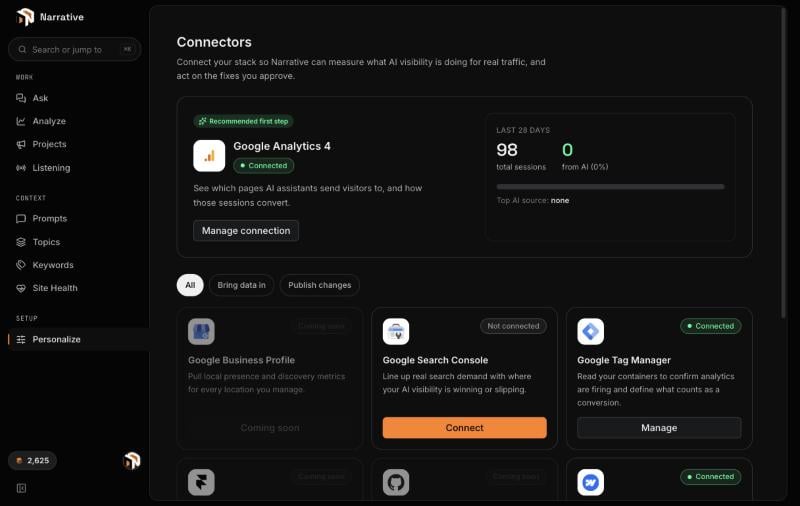
2
Choose your Google account and confirm
Pick the account with access to the container. If you connected GA4 with
the same account, Google only asks you to confirm you are signing back
in.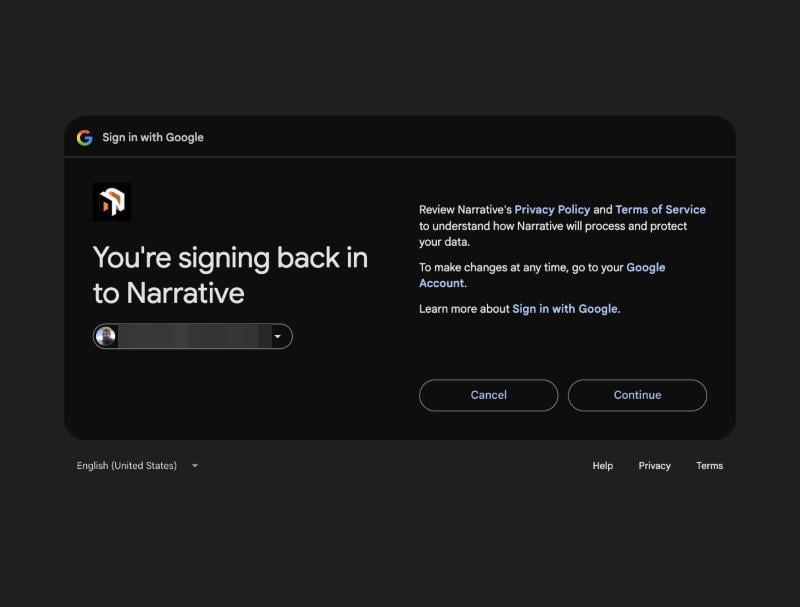
3
Grant read-only access
Google lists the permission Narrative asks for: View your Google Tag
Manager container and its subcomponents. Tick it and click
Continue. Narrative never asks to edit or publish a container.
4
Pick the container
Back in Narrative, pick the container that runs on your site and click
Connect.
5
Confirm your conversions
Narrative reads the container’s live version and lists the conversion
tags it finds, alongside any GA4 key events, as proposed definitions.
Open Analyze → Impact and use Confirm your conversions to confirm
the ones that matter, mark one as primary, and dismiss the rest. Nothing
counts as a conversion until you confirm it.
What Narrative reads
Nothing is written to the container, and nothing is injected into your site.
Manage the connection
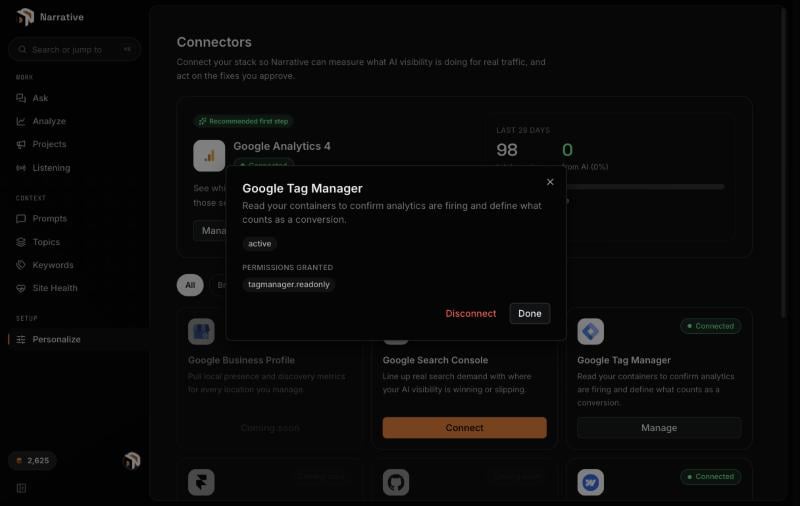
Personalize → Connectors → Google Tag Manager → Manage shows the connection status and the permission granted.